Skip to content

An uncaught error on background image uploading #277

Open

Description

@sirajahmad1
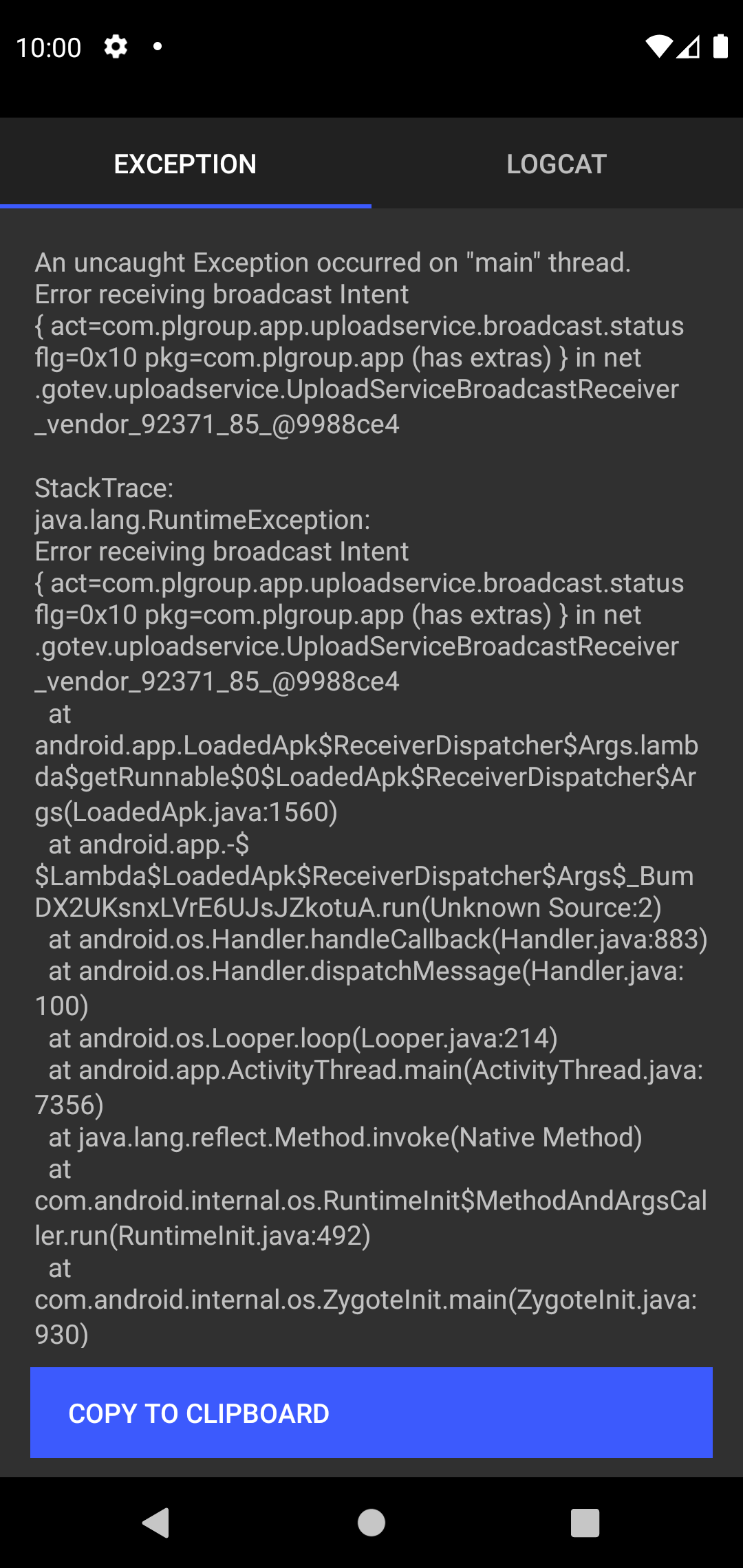
An uncaught Exception occurred on "main" thread.
Error receiving broadcast Intent { act=com.plgroup.app.uploadservice.broadcast.status flg=0x10 pkg=com.plgroup.app (has extras) } in net.gotev.uploadservice.UploadServiceBroadcastReceiver_vendor_92371_85_@91bf10a
StackTrace:
java.lang.RuntimeException: Error receiving broadcast Intent { act=com.plgroup.app.uploadservice.broadcast.status flg=0x10 pkg=com.plgroup.app (has extras) } in net.gotev.uploadservice.UploadServiceBroadcastReceiver_vendor_92371_85_@91bf10a
	at android.app.LoadedApk$ReceiverDispatcher$Args.lambda$getRunnable$0$LoadedApk$ReceiverDispatcher$Args(LoadedApk.java:1560)
	at android.app.-$$Lambda$LoadedApk$ReceiverDispatcher$Args$_BumDX2UKsnxLVrE6UJsJZkotuA.run(Unknown Source:2)
	at android.os.Handler.handleCallback(Handler.java:883)
	at android.os.Handler.dispatchMessage(Handler.java:100)
	at android.os.Looper.loop(Looper.java:214)
	at android.app.ActivityThread.main(ActivityThread.java:7356)
![Screenshot_1607358695](https://user-images.githubusercontent.com/45190840/101385141-62201980-38e1-11eb-972b-94269ab13adb.png)

	at java.lang.reflect.Method.invoke(Native Method)
	at com.android.internal.os.RuntimeInit$MethodAndArgsCaller.run(RuntimeInit.java:492)
	at com.android.internal.os.ZygoteInit.main(ZygoteInit.java:930)
Caused by: com.tns.NativeScriptException: Calling js method onError failed
TypeError: Cannot read property 'getBodyAsString' of null
	at com.tns.Runtime.callJSMethodNative(Native Method)
	at com.tns.Runtime.dispatchCallJSMethodNative(Runtime.java:1242)
	at com.tns.Runtime.callJSMethodImpl(Runtime.java:1122)
	at com.tns.Runtime.callJSMethod(Runtime.java:1109)
	at com.tns.Runtime.callJSMethod(Runtime.java:1089)
	at com.tns.Runtime.callJSMethod(Runtime.java:1081)
	at net.gotev.uploadservice.UploadServiceBroadcastReceiver_vendor_92371_85_.onError(Unknown Source:29)
	at net.gotev.uploadservice.UploadServiceBroadcastReceiver.onReceive(UploadServiceBroadcastReceiver.java:43)
	at android.app.LoadedApk$ReceiverDispatcher$Args.lambda$getRunnable$0$LoadedApk$ReceiverDispatcher$Args(LoadedApk.java:1550)
	... 8 more

Screenshot_1607358695

error
console error

Activity

  1. Cateye82 commented on Dec 10, 2020

    @Cateye82

    I have exactly the same issue with responseCode -1

    {
    JS:   "eventName": "progress",
    JS:   "object": {
    JS:     "_observers": {
    JS:       "progress": [
    JS:         {}
    JS:       ],
    JS:       "error": [
    JS:         {}
    JS:       ],
    JS:       "complete": [
    JS:         {}
    JS:       ],
    JS:       "responded": [
    JS:         {}
    JS:       ]
    JS:     },
    JS:     "_session": {
    JS:       "_id": "image-upload-bg-http"
    JS:     },
    JS:     "_id": "image-upload-bg-http{4}",
    JS:     "_description": "{ 'uploading': 201911061645231201810021300161538485217.jpg }",
    JS:     "_upload": 173,
    JS:     "_totalUpload": 225738,
    JS:     "_status": "uploading"
    JS:   },
    JS:   "currentBytes": 173,
    JS:   "totalBytes": 225738
    JS: }
    JS: {
    JS:   "eventName": "error",
    JS:   "object": {
    JS:     "_observers": {
    JS:       "progress": [
    JS:         {}
    JS:       ],
    JS:       "error": [
    JS:         {}
    JS:       ],
    JS:       "complete": [
    JS:         {}
    JS:       ],
    JS:       "responded": [
    JS:         {}
    JS:       ]
    JS:     },
    JS:     "_session": {
    JS:       "_id": "image-upload-bg-http"
    JS:     },
    JS:     "_id": "image-upload-bg-http{4}",
    JS:     "_description": "{ 'uploading': 201911061645231201810021300161538485217.jpg }",
    JS:     "_upload": 173,
    JS:     "_totalUpload": 225738,
    JS:     "_status": "error"
    JS:   },
    JS:   "error": {},
    JS:   "responseCode": -1,
    JS:   "response": null
    JS: }
    

    It seems that this only effects some devices, I have the issue on the simulator (Pixel 3 XL API 29) and on a Huawei P20 Pro. On a Pixel 5 everything is fine.

  2. sirajahmad1 commented on Dec 14, 2020

    @sirajahmad1
    Author

    @Cateye82 have you found any solutions or alternative to that

  3. Cateye82 commented on Dec 14, 2020

    @Cateye82

    So far, unfortunately not, but I will investigate it more deeper. I keep you informed.

  4. Cateye82 commented on Dec 14, 2020

    @Cateye82

    So far I found out that either the permission ist not working correctly, or the path is wrong:
    JS: java.io.FileNotFoundException: /storage/emulated/0/Download/201911061645231201810021300161538485217.jpg: open failed: EACCES (Permission denied)

    Screenshot_1607947358

    The path seems to be right, so I take a closer look to the rights.

  5. Cateye82 commented on Dec 14, 2020

    @Cateye82

    I implemented an additional check for the rights:

    const permissions = require('nativescript-permissions');
    permissions.requestPermission(android.Manifest.permission.READ_EXTERNAL_STORAGE, "I need these permissions because I'm cool")
                    .then( () => {
                        console.log("Woo Hoo, I have the power!");
                    })
                    .catch( () => {
                        console.log("Uh oh, no permissions - plan B time!");
                    });
    

    Output is:

    JS: startActivityForResult 1231
    JS: [[/storage/emulated/0/Download/201911061645231201810021300161538485217.jpg, 201911061645231201810021300161538485217.jpg, jpeg, image/jpeg]]
    JS: [{
    JS: "name": "file",
    JS: "filename": "/storage/emulated/0/Download/201911061645231201810021300161538485217.jpg",
    JS: "mimeType": "image/jpeg"
    JS: }]
    JS: Woo Hoo, I have the power!

    So the access is granted.

  6. Cateye82 commented on Dec 14, 2020

    @Cateye82

    Ok I found the solution:
    #263 (comment)
    At least it worked for me. Can you please proof it?

  7. sirajahmad1 commented on Dec 16, 2020

    @sirajahmad1
    Author

    @Cateye82 #263 solution
    adding android:requestLegacyExternalStorage="true" to the AndroidManifest.xml
    doesn't help, I am still facing the same problem.

  8. Cateye82 commented on Dec 17, 2020

    @Cateye82

    I am using the following tns versions:

    "tns-android": {
      "version": "6.2.0"
    },
    "tns-ios": {
      "version": "6.5.2"
    }
    

    This is my AndroidManifest part for the rights:

    <uses-sdk
    			android:targetSdkVersion="29"/>
    
    	<uses-permission android:name="android.permission.READ_EXTERNAL_STORAGE"/>
    	<uses-permission android:name="android.permission.WRITE_EXTERNAL_STORAGE"/>
    	<uses-permission android:name="android.permission.INTERNET"/>
    	<uses-permission android:name="android.permission.CAMERA"/>
    	<uses-permission android:name="android.permission.CALL_PHONE" />
    	<uses-permission android:name="android.permission.READ_USER_DICTIONARY"/>
    
    	<uses-feature android:name="android.hardware.camera" android:required="false" />
    	<uses-feature android:name="android.hardware.telephony" android:required="false" />
    
    	<application
    			android:name="com.tns.NativeScriptApplication"
    			android:allowBackup="true"
    			android:icon="@drawable/icon"
    			android:label="************"
    			android:theme="@style/AppTheme"
    			android:requestLegacyExternalStorage="true">
    

    Did you checked the source file and the path?

Sign up for free to join this conversation on GitHub. Already have an account? Sign in to comment

Metadata

Metadata

Assignees

No one assigned

    Labels

    No labels
    No labels

    Type

    No type

    Projects

    No projects

      Milestone

      No milestone

      Relationships

      None yet

      Development

      No branches or pull requests

      Issue actions